






Microsoft is aware of an alleged issue that leaves PCs unable to boot and requires manual recovery after installing the Windows 11 January 2026 Update.
Microsoft doesn’t know how the January 2026 Update broke some PCs and is collecting data from consumers and IT admins. For now, you don’t have to uninstall the update, as the issue is “limited” to specific PCs. The same update also broke Outlook Classic, customization in File Explorer, sleep mode (S3), Citrix Director, and Remote Desktop.
“Microsoft has received a limited number of reports of an issue in which devices are failing to boot,” Microsoft noted in a support document first spotted by Windows Latest.
It’s unclear how many users are affected, but Microsoft has listed two affected platforms on the Windows release dashboard:
- KB5074109 – Windows 11 25H2
- KB5074109 – Windows 11 24H2
KB5074109 is a mandatory security update for Windows 11 25H2 / 24H2, and it patches as many as a hundred known security issues, which is why it’s installed automatically on PCs.
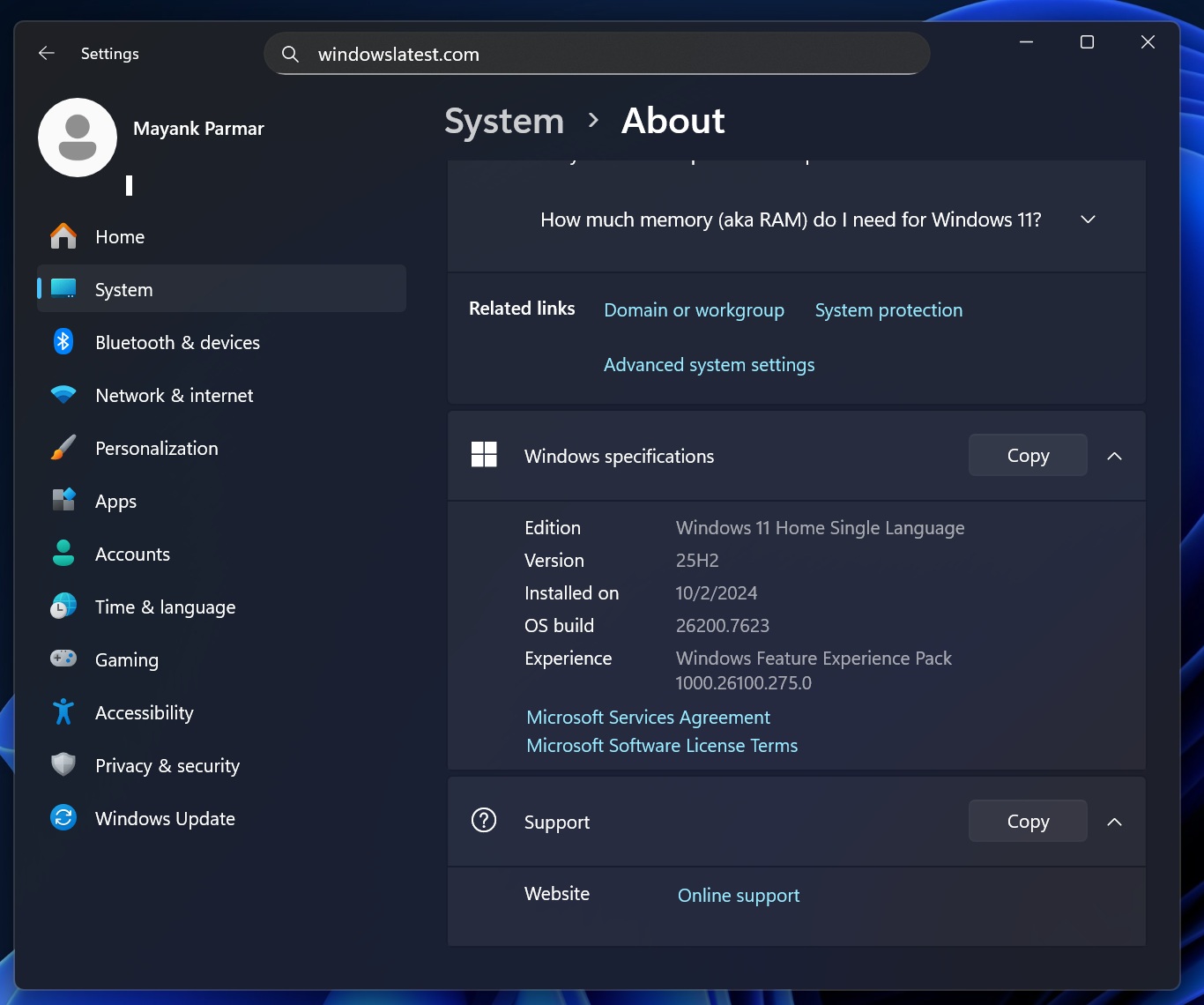
Do I have the January 2026 Update? Open Settings > System > About > Specification, and look at the build number. If it’s 26200.7623, you have the January update. KB5074109 was released on January 13, 2026.
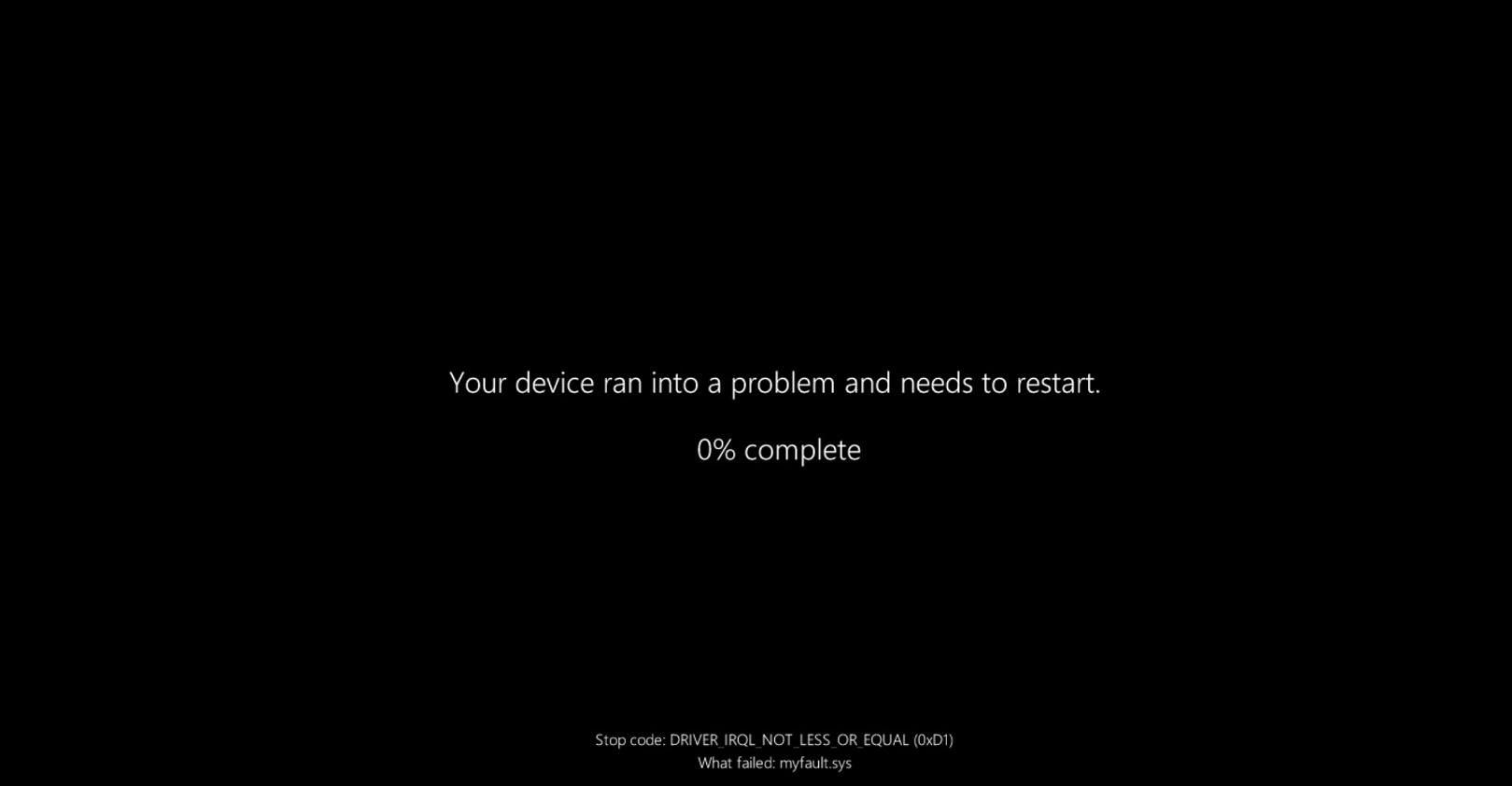
According to Microsoft, affected PCs could suddenly stop booting and land on the Black Screen of Death (BSOD) error with stop code UNMOUNTABLE_BOOT_VOLUME.
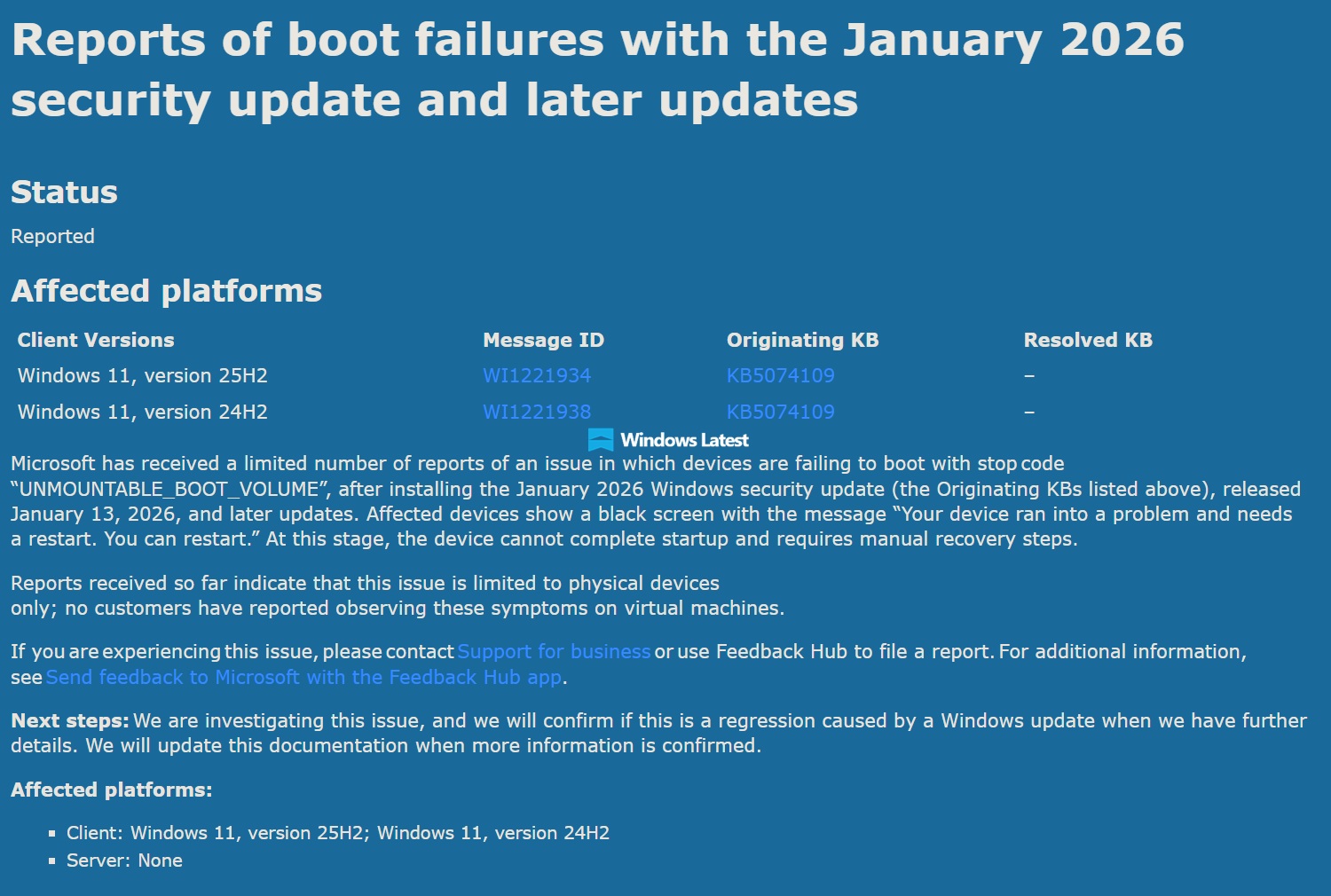
The UNMOUNTABLE_BOOT_VOLUME error (Stop Code 0xED) is typically related to system corruption, a damaged BIOS/boot, or hardware failure, specifically the drive. In this case, Microsoft suspects the problem is likely due to the Windows 11 January 2026 Update.
“Microsoft has received a limited number of reports of an issue in which devices are failing to boot with stop code ‘UNMOUNTABLE_BOOT_VOLUME’ after installing the January 2026 Windows security update (the originating KBs listed above), released January 13, 2026, and later updates,” Microsoft explained.
“Affected devices show a black screen with the message ‘Your device ran into a problem and needs a restart. You can restart.’ At this stage, the device cannot complete startup and requires manual recovery steps.”
In other words, if you end up hitting the above Black Screen of Death error, it will leave your computer unable to boot, and you’ll need to recover the installation. Windows Recovery is typically successful, but there are situations where WinRE does not work. In that case, you can use an ISO to clean install Windows.
“Reports received so far indicate that this issue is limited to physical devices only; no customers have reported observing these symptoms on virtual machines,” Microsoft warned in the support document.
The good news is that only a limited set of devices is affected. The bad news is that Microsoft doesn’t know how many users are affected or the details of the configuration causing the issue. The worst news is that the Windows 11 January 2026 Update is causing a bunch of other problems, and Microsoft has issued an emergency update (KB5078127).
If you don’t have issues, there’s nothing to worry about. There are billions of PCs running Windows, and most issues are limited to specific hardware. This might be one of those “limited” issues only, but if your PC is unable to boot or something feels odd over the last ten days, it’s likely due to Windows 11 KB5074109.
| Issue detail | Current status | Workaround | Affected Windows version |
|---|---|---|---|
| Outlook Classic freezes. | Acknowledged by Microsoft | Fixed in out-of-band update (KB5078127) | All supported versions of Windows |
| Third-party apps become unresponsive. | Acknowledged by Microsoft | Fixed in out-of-band update (KB5078127) | All supported versions of Windows |
| Black screen or wallpaper resets. | Not officially acknowledged | Restart Windows or reapply wallpaper manually | Windows 11 25H2, 24H2 |
| Sleep mode (S3) stops working on older PCs. | Not officially acknowledged | No reliable workaround available | Windows 11 24H2 / 25H2 on systems using S3 sleep |
| Desktop.ini broken in File Explorer. | Not officially acknowledged | No workaround; folders still function but UI is incorrect | Windows 11 25H2, 24H2 |
| Citrix Remote Desktop not working | Acknowledged by Citrix | Remove the update or switch to alternatives | Windows 11 25H2, 24H2 and Windows Server 2025, 2022 |
| Remote Desktop stops working. | Acknowledged by Microsoft | Fixed in first out-of-band update (KB5077744) | All supported versions of Windows |
| Shutdown feature does not work properly. | Acknowledged by Microsoft | Fixed with first out-of-band update (KB5077797) | 23H2 |
| System fails to boot | Acknowledged by Microsoft | Use Windows Recovery or reinstall Windows using an ISO | 25H2 and 24H2 |
What about you? Have you encountered critical issues after recent Windows Updates?