







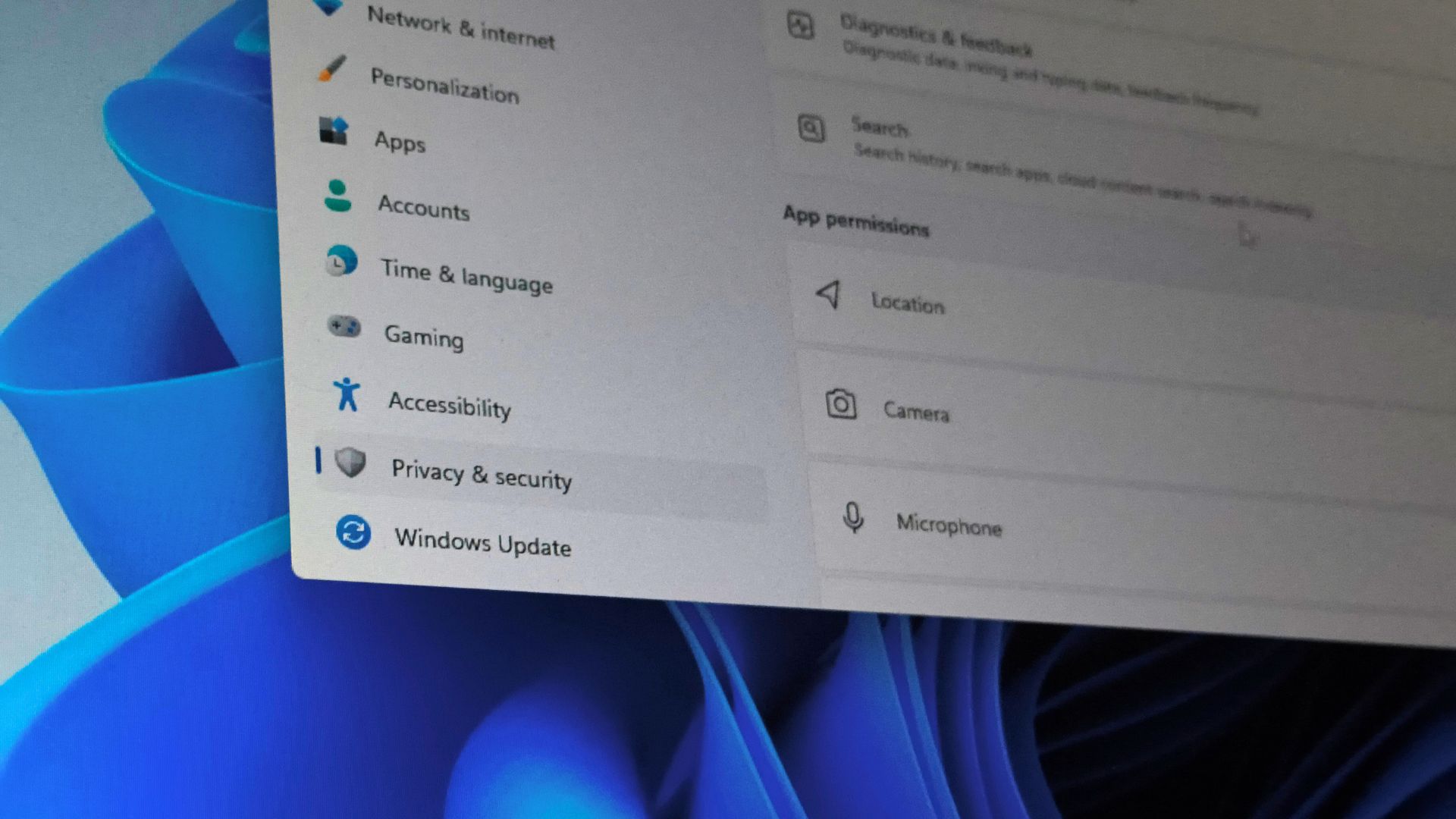
Windows 11 is finally giving desktop apps individual privacy controls. In the latest Experimental build, you can go into Settings > Privacy & security and individually allow or deny apps like Chrome and Steam access to your microphone, camera, and location, something traditional Win32 software couldn’t do before, separately.
Windows used to treat desktop apps very differently from Microsoft Store apps. Store apps always got their own switch, while desktop apps collectively were behind one shared “Let desktop apps access your camera/microphone” toggle that applied to everything at once.
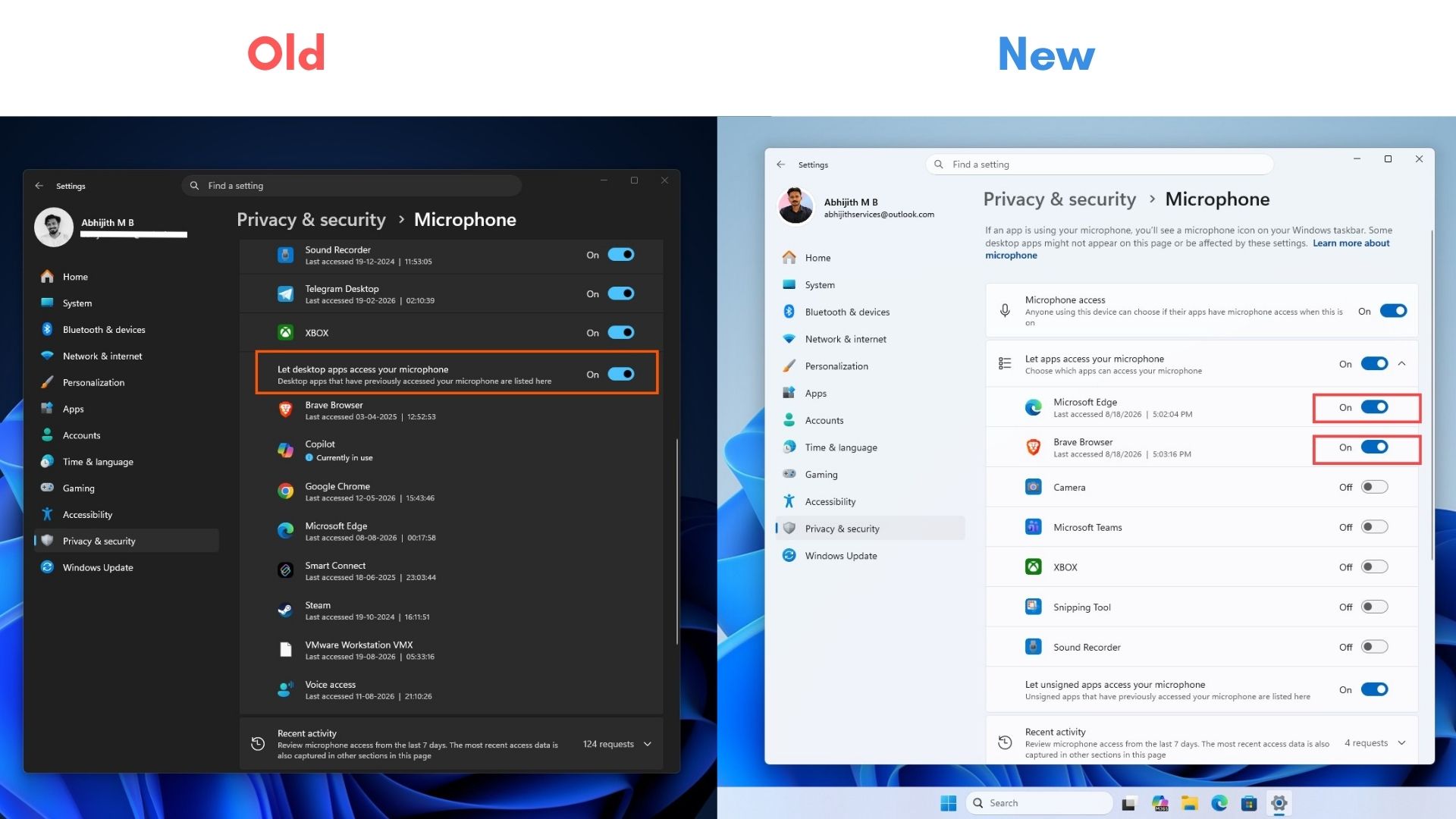
We reproduced the change on our Experimental Insider PC running Build 26340.9212 and confirmed the same behavior across camera, microphone, and location.
Windows 11 finally lets you control what individual desktop apps can access
Microsoft Store apps have had individual permission switches for years. Win32 programs didn’t. So, if you wanted to allow Microphone access to Discord and block it for Chrome, you couldn’t do that from Windows Privacy settings.
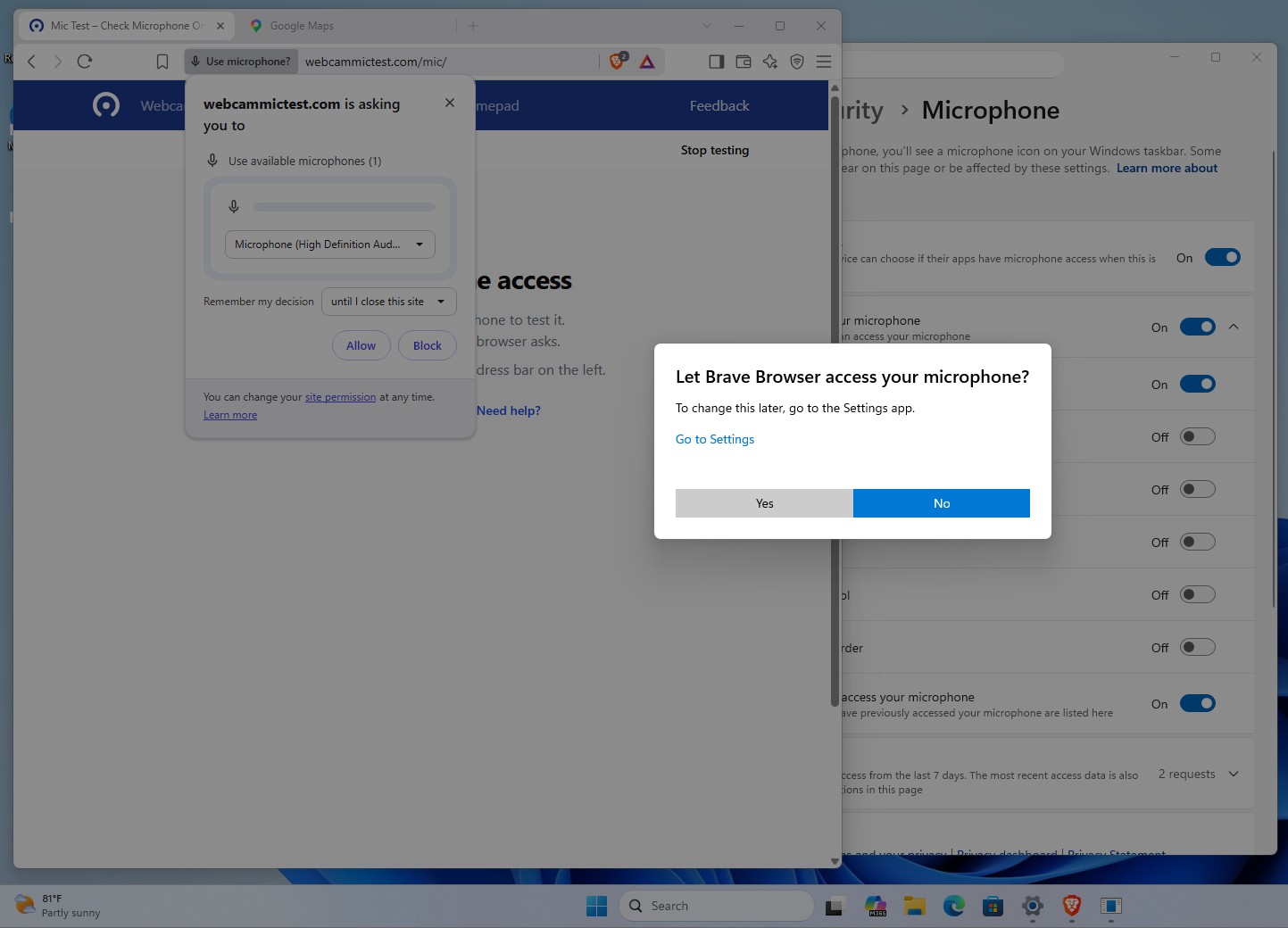
On our PC running the Experimental Build, we checked the Privacy settings with Edge and Brave as the desktop apps (note that this works for any desktop or Win32 app).
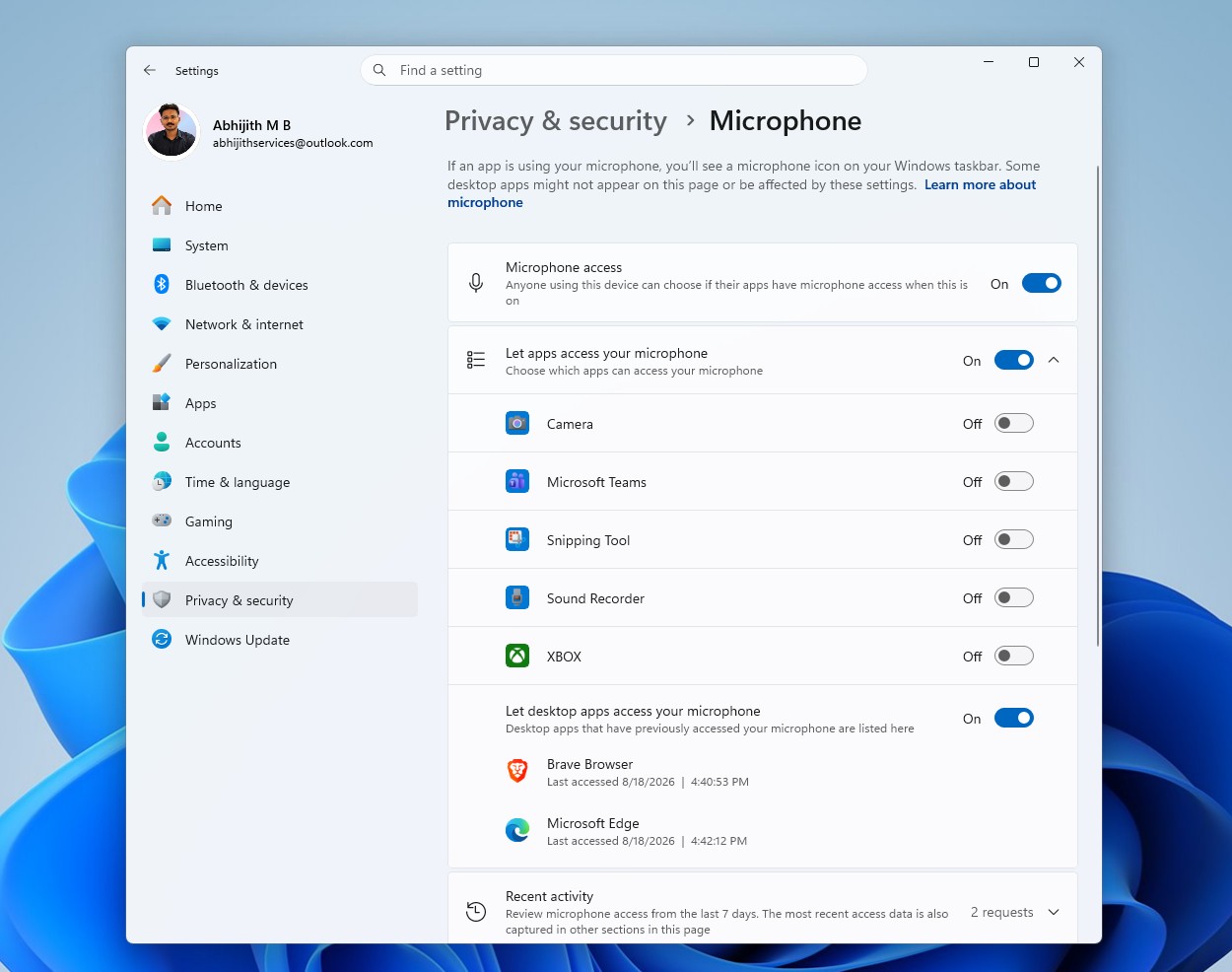
Before the update, Brave and Edge both were grouped under a single “Let desktop apps access your microphone” switch, with no way to treat them differently.
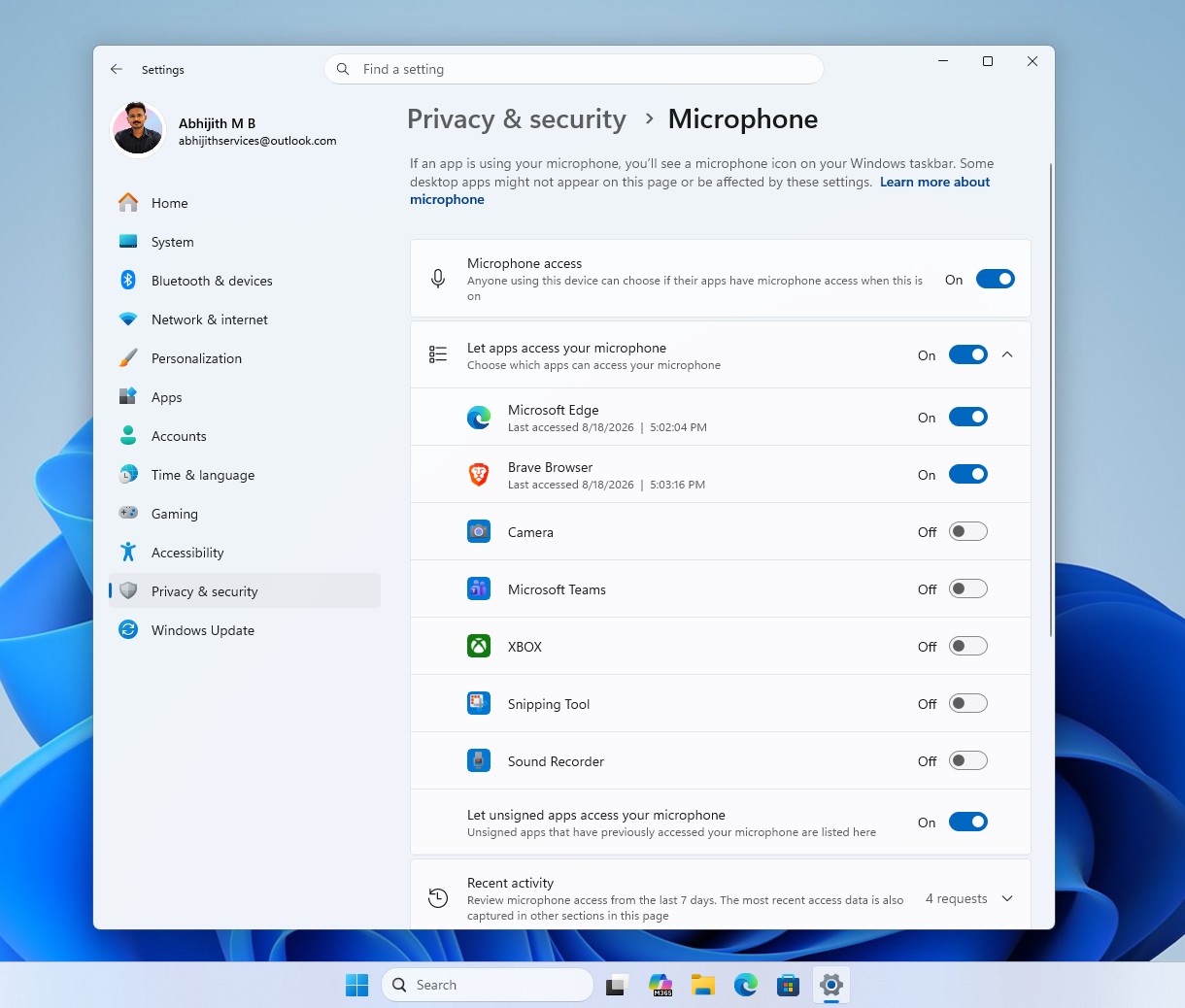
After updating, that shared switch disappeared. Edge and Brave now show up as separate entries at the top of the same list Store apps use, each with its own toggle.
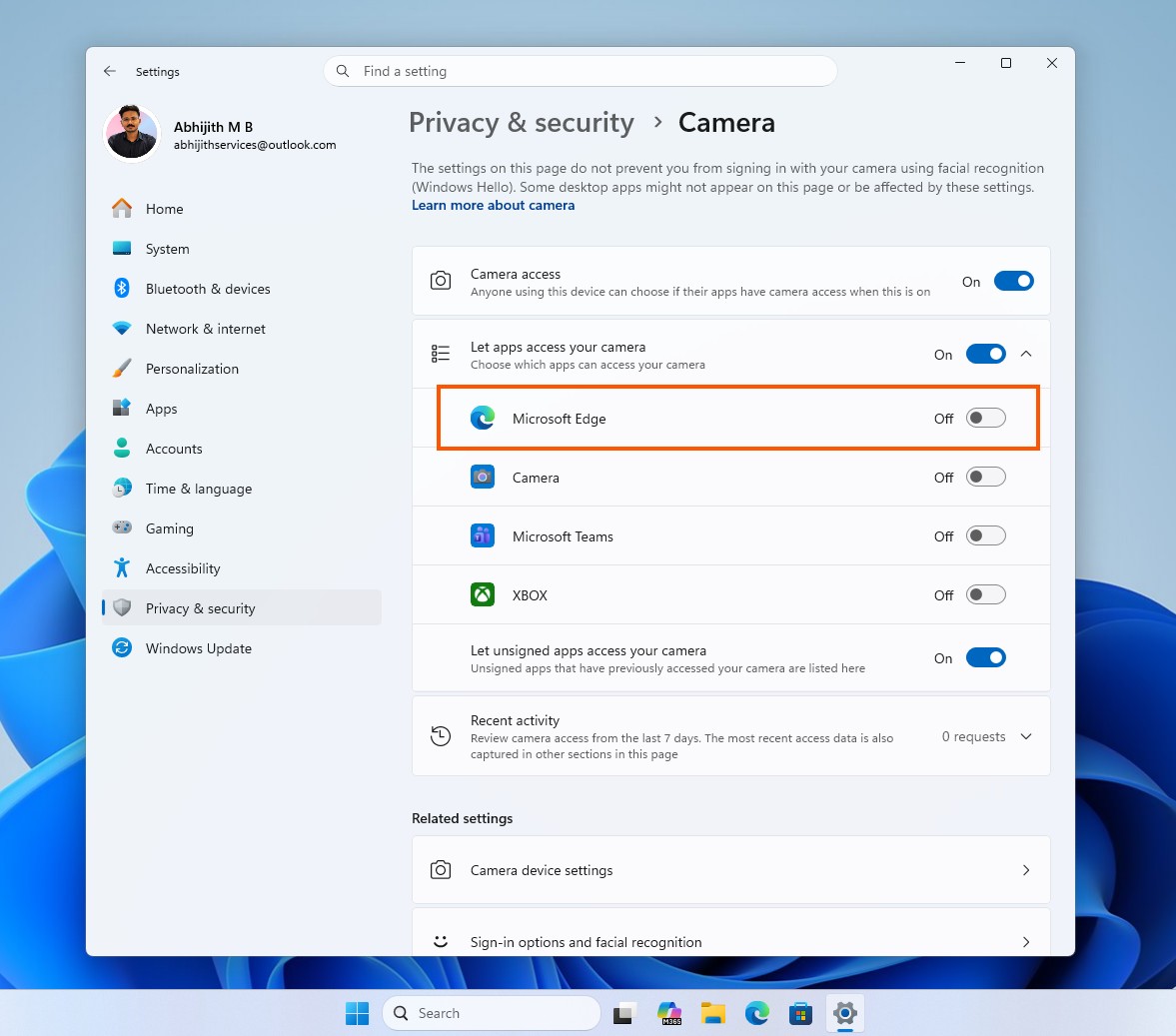
Camera access works the same way. Edge now appears as an individual entry directly under “Let apps access your camera,” next to the Camera app, Teams, and Xbox instead of being added into a collective desktop-apps bucket.
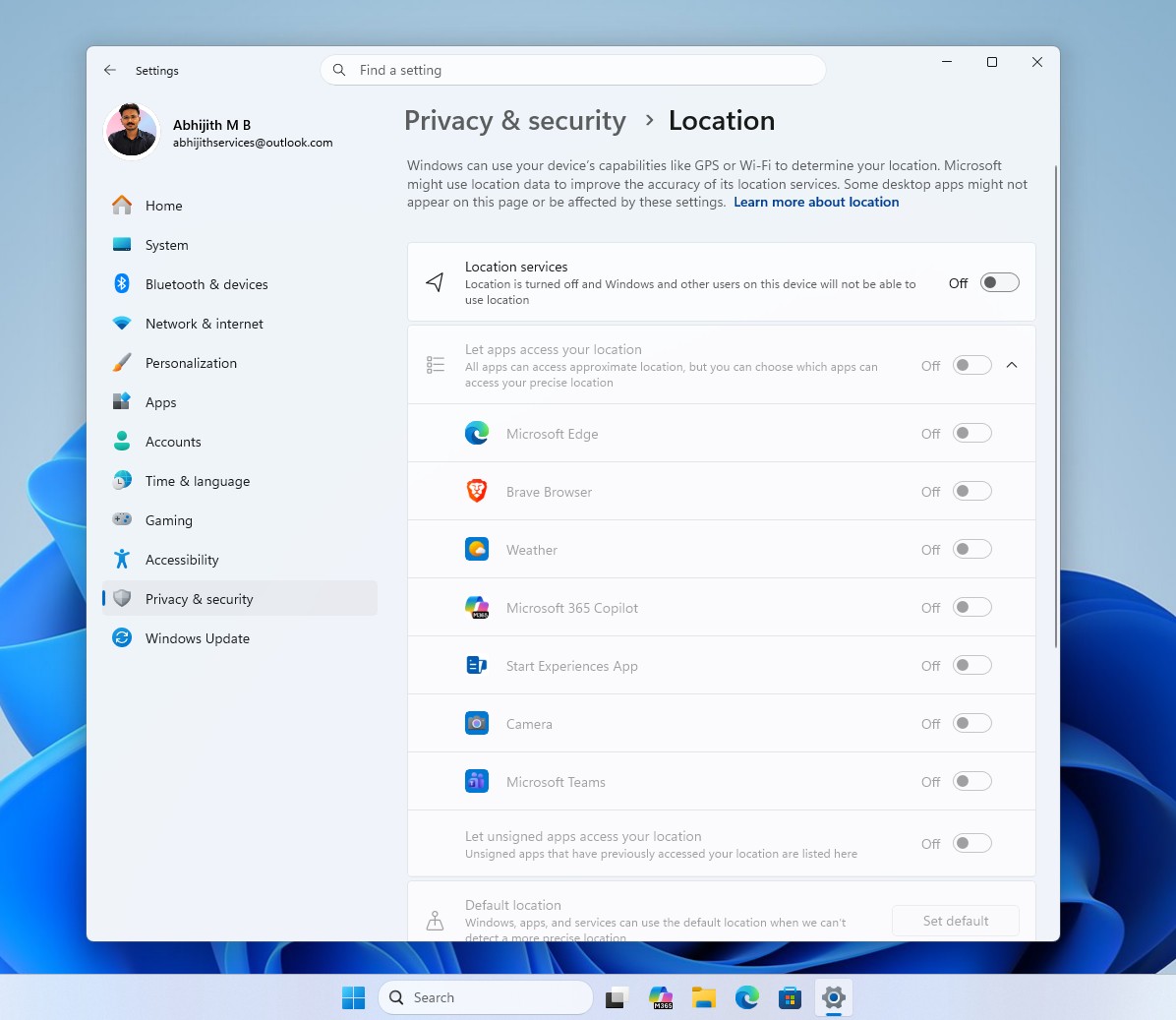
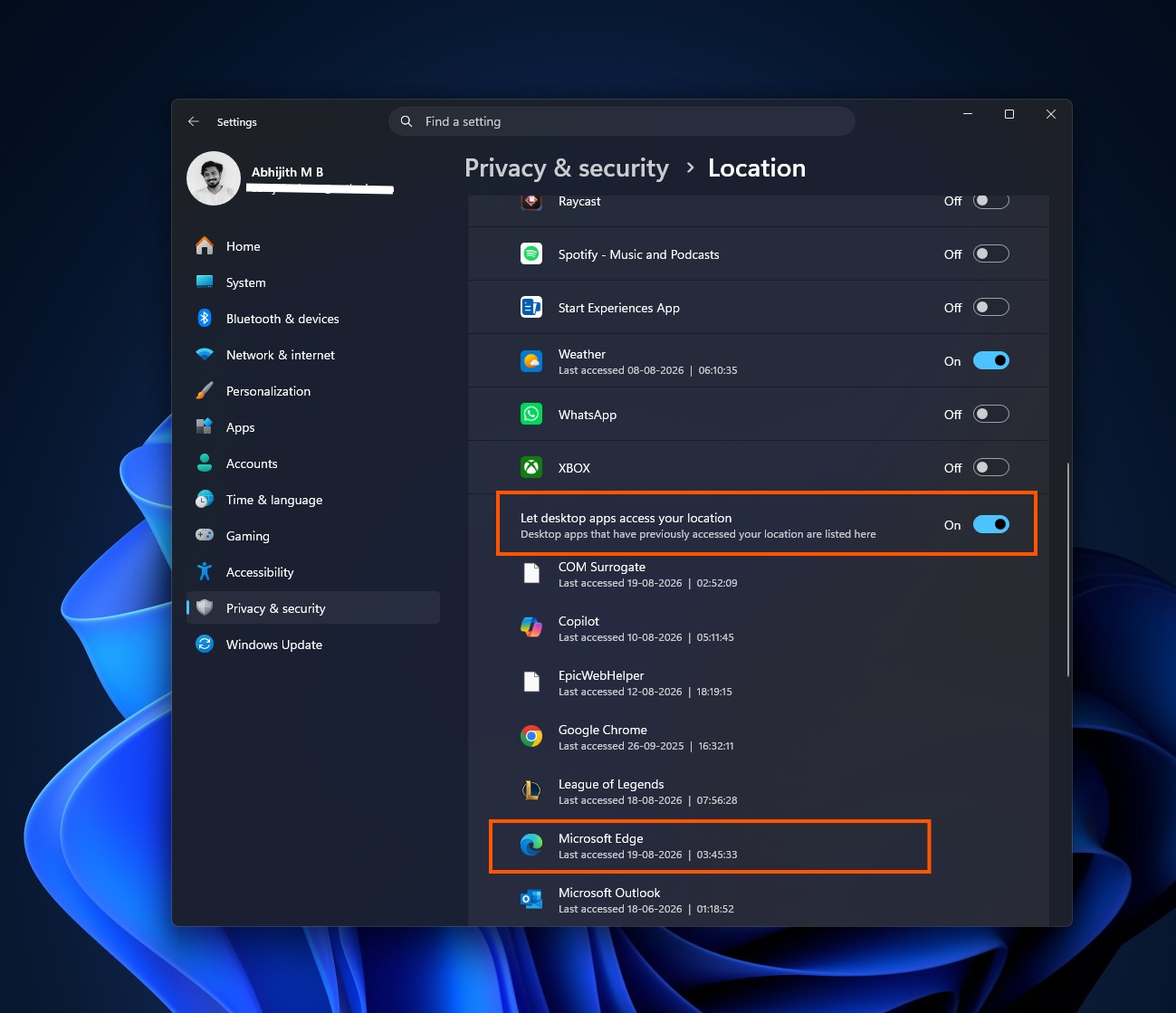
The same goes for Location access settings, with Edge and Brave both showing up individually next to Weather, Microsoft 365 Copilot, and Teams, based on our own testing since Microsoft hasn’t published documentation confirming exactly how far this extends.
For me, the biggest reason Microsoft’s sandboxed Store apps felt more privacy-friendly than traditional desktop software was that Windows could expose individual permissions for Store apps while giving desktop programs broader, less granular access.
We now have permission prompts too
When a desktop app first tries to access the microphone or camera now, Windows shows a centered system dialog asking whether to allow it, something Win32 apps didn’t trigger on their own before.
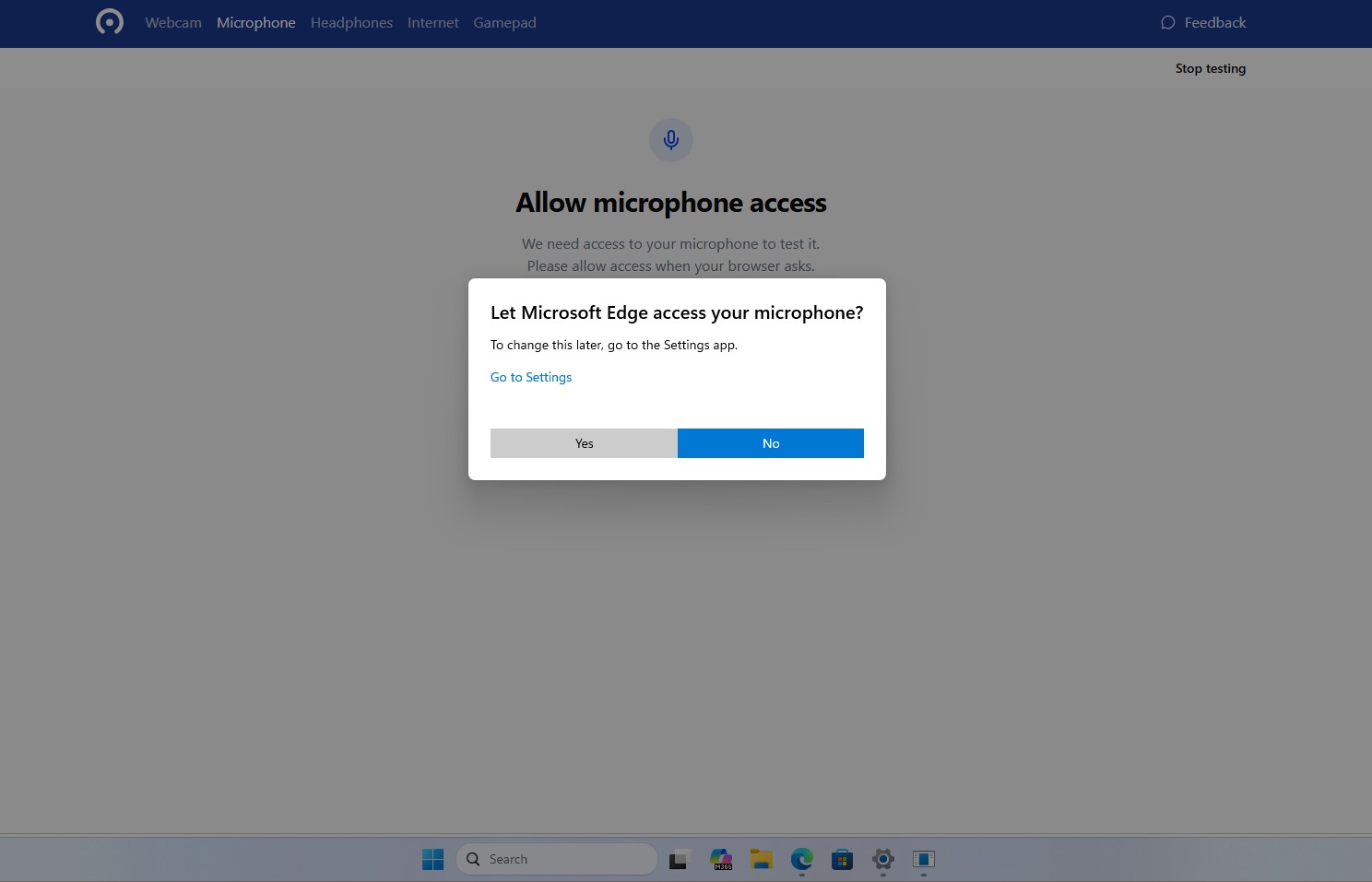
Note that these changes are not a finished replacement for the existing system. It is still in the testing phase on Build 26340.9212, which shipped through the Experimental Channel on August 17, 2026, and Microsoft’s release notes don’t mention this change at all. Experimental features roll out gradually too, so not every Insider on this build sees it yet, and such features can change or disappear before reaching a public release.
Interestingly, this new change comes not long after Microsoft’s GDID tracking system drew attention to how little control users have over Windows data collection, and we found the same Capability Access Manager component that enforces these permissions eating up to 500GB of storage on some PCs earlier this year.
Windows 11 is making desktop apps behave more like Store apps
If you install a traditional Windows application, you shouldn’t have to choose between giving every desktop app microphone access or turning it off for everything. Now, at least in this build, you can decide app by app.
The change was first spotted by X user Jakub, who reported that Build 26340.9212 lets you “revoke access to the camera & microphone for specific Win32 apps.”
Windows watcher phantomofearth in the thread said they saw the same change only after enabling a feature flag called Win32SignatureIdentity (60730253), while Jakub said he didn’t need to enable it manually, suggesting the rollout isn’t consistent yet.
Rafael Rivera, a well-known Windows researcher, pushed back a little on how new this really is, noting that desktop apps have technically been listed under that shared switch since Windows 10 version 1903. He’s right about that part.
What’s different now is that Windows finally lets you toggle each one individually instead of only viewing them in a list. Rivera also mentioned a distinction between signed and unsigned apps, questioning how much that’s worth if the permission checks still happen in-process and get stored in the current user’s registry hive.
Windows has spent years treating desktop software differently from Store apps, largely because Win32’s openness makes it harder to sandbox.
Microsoft hasn’t confirmed these controls are coming to every Windows 11 PC yet. Right now they’re Experimental, and the company warns Experimental features can change or vanish before they ship. But if Redmond ships this the way it currently works, it closes one of the more obvious privacy gaps between traditional Windows software and the Microsoft Store.