








It’s October 2026, and Microsoft is still finding new bugs in Windows 11’s September updates. We’ve already had a mandatory Patch Tuesday update, an emergency patch, and an optional release, but the problems keep piling up. Now, Microsoft has confirmed that some apps or games could crash if they rely on Windows’ built-in audio decoding, and it’s working on a fix.
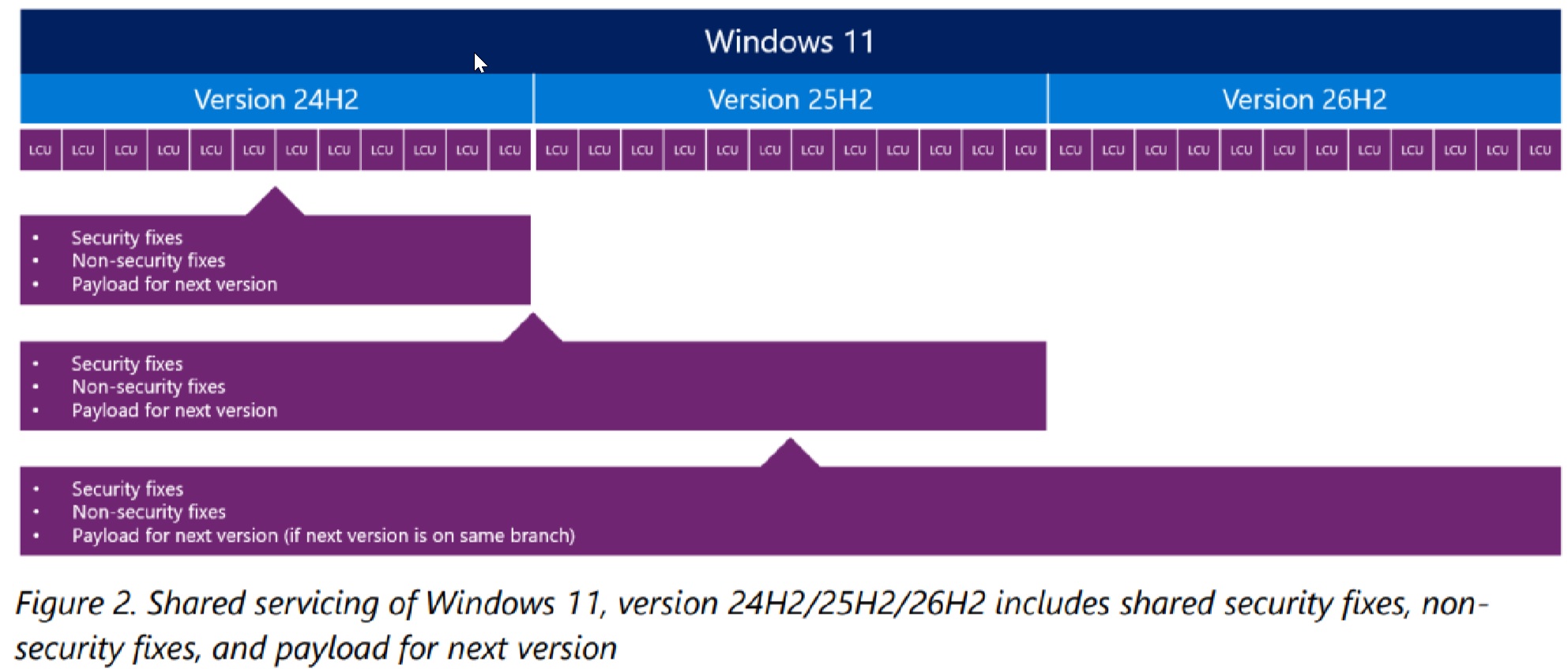
Microsoft says the bug affects Windows 11 26H2, 25H2, and 24H2 after installing KB5124010, released on September 22.
That means even if you installed KB5124010 on Windows 11 25H2 and later upgraded to 26H2, you could still run into the problem, as these three versions share the same underlying code.
Some apps and games could crash when decoding audio
As first spotted by Windows Latest, Microsoft has quietly confirmed that some apps and games that use Windows’ built-in AC-3 (Dolby Digital) audio decoding could crash abruptly when you increase the volume, change audio settings, or use certain audio features.
Microsoft won’t tell us exactly what’s going wrong with the audio, but if you run into sudden performance issues after updating Windows 11, you could try avoiding audio playback or turning off audio features you recently enabled.
“Incidence of this issue depends on the activity that these applications perform. In some cases the application can fail to launch, or close without warning,” Microsoft explained in a document.
“In other cases the application will work normally until certain features are used, such as playing music. Affected applications may vary and can include games, media players, and certain productivity applications.”
Microsoft says most modern apps shouldn’t be affected
According to Microsoft, it doesn’t expect many users to run into the bug because it affects apps or games that rely on Windows’ built-in decoder, a component most commonly used by older apps or games.
The company insists that most modern apps shouldn’t crash when you play music or audio, but it still can’t tell us exactly which apps or games are affected.
This is separate from September’s USB audio bug, where some audio devices could stop producing sound, show a Code 10 error in Device Manager, or make Sound settings unresponsive.
Windows 11’s September updates fixed some bugs and introduced another
There’s no denying that September has been a disaster for Windows. At one point, it looked like Microsoft was finally getting a handle on quality control. But when you look at everything that went wrong last month, you’d wonder if things are moving in the opposite direction.
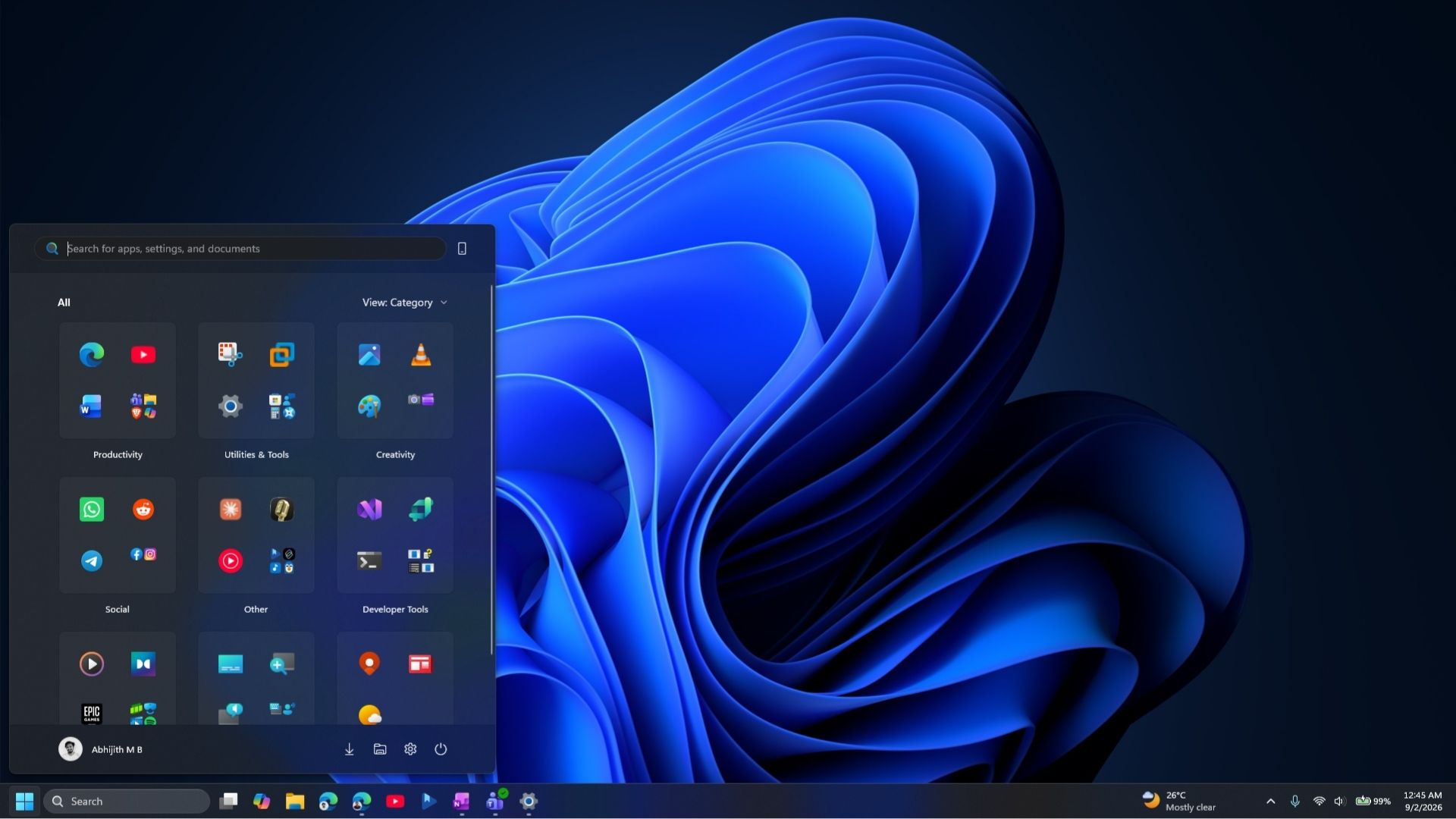
On September 8, Microsoft rolled out KB5124008 with some of the most-requested features, including a movable taskbar, a resizable Start menu, and Bing-free Windows Search.
If these features haven’t reached your PC yet due to the gradual rollout, here’s what my Start menu looks like when I set it to “Small” and hide both Pinned and the Recent feed, previously called Recommended:
September was also a massive month for security fixes. For comparison, Microsoft patched 86 security issues in September 2025, and that number increased by more than 1,000% to 974 in September 2026.
| Month | Microsoft CVEs in 2025 | Microsoft CVEs in 2026 | YoY |
|---|---|---|---|
| January | 159 | 112 | -29.6% |
| February | 63 | 59 | -6.3% |
| March | 57 | 83 | +45.6% |
| April | 126 | 165 | +31.0% |
| May | 78 | 137 | +75.6% |
| June | 66 | 206 | +212.1% |
| July | 130 | 622 | +378.5% |
| August | 111 | 421 | +279.3% |
| September | 86 | 974 | +1,032.6% |
| January-September | 876 | 2,779 | +217.2% |
As the number of security fixes increases, more bugs can surface in Windows. Microsoft has previously confirmed that it’s using AI to deploy hundreds of fixes.
When a user flagged an explorer.exe crash to a Microsoft employee after the September update, the program manager described last month’s update as an “extensive” release, which made it harder to identify the root cause.
Microsoft has already acknowledged problems with Remote Desktop, audio, and File History backups. In our tests, Windows Latest also found black screens and AMD GPU errors, including driver timeouts and freezes.
Microsoft still hasn’t confirmed the AMD GPU issues, but it hasn’t dismissed them either. I believe the company is aware of the reports, and I wouldn’t be surprised if it quietly ships a fix in the next update.
There was another bug affecting Windows Subsystem for Linux and apps that use Linux virtual machines on Windows. For example, Claude Cowork uses a Linux-based VM to access local files, but September’s update broke folder sharing with those VMs, which made it impossible for AI to access your local files.
Microsoft’s emergency update didn’t fix everything
On September 14, Microsoft released KB5129195, an emergency update, also known as an out-of-band update. It fixed several reported issues, including broken Remote Desktop connections, the folder-sharing problem affecting Claude Cowork, and a multichannel audio issue.
However, we later found that audio problems were only partially resolved, and some audio devices still wouldn’t work.
Moreover, the emergency Windows update broke File History, a lesser-known but one of the most useful backup tools. For those unaware, File History allows you to save copies of your files on an external drive, so you can get them back if they’re lost or damaged. And if you don’t have an external drive, you can use a network location.
Unfortunately, after recent updates, File History quietly stopped working, and when you opened its page in Control Panel, Windows told you that no usable drive was found. This happened even when a drive was attached or a network location was paired.
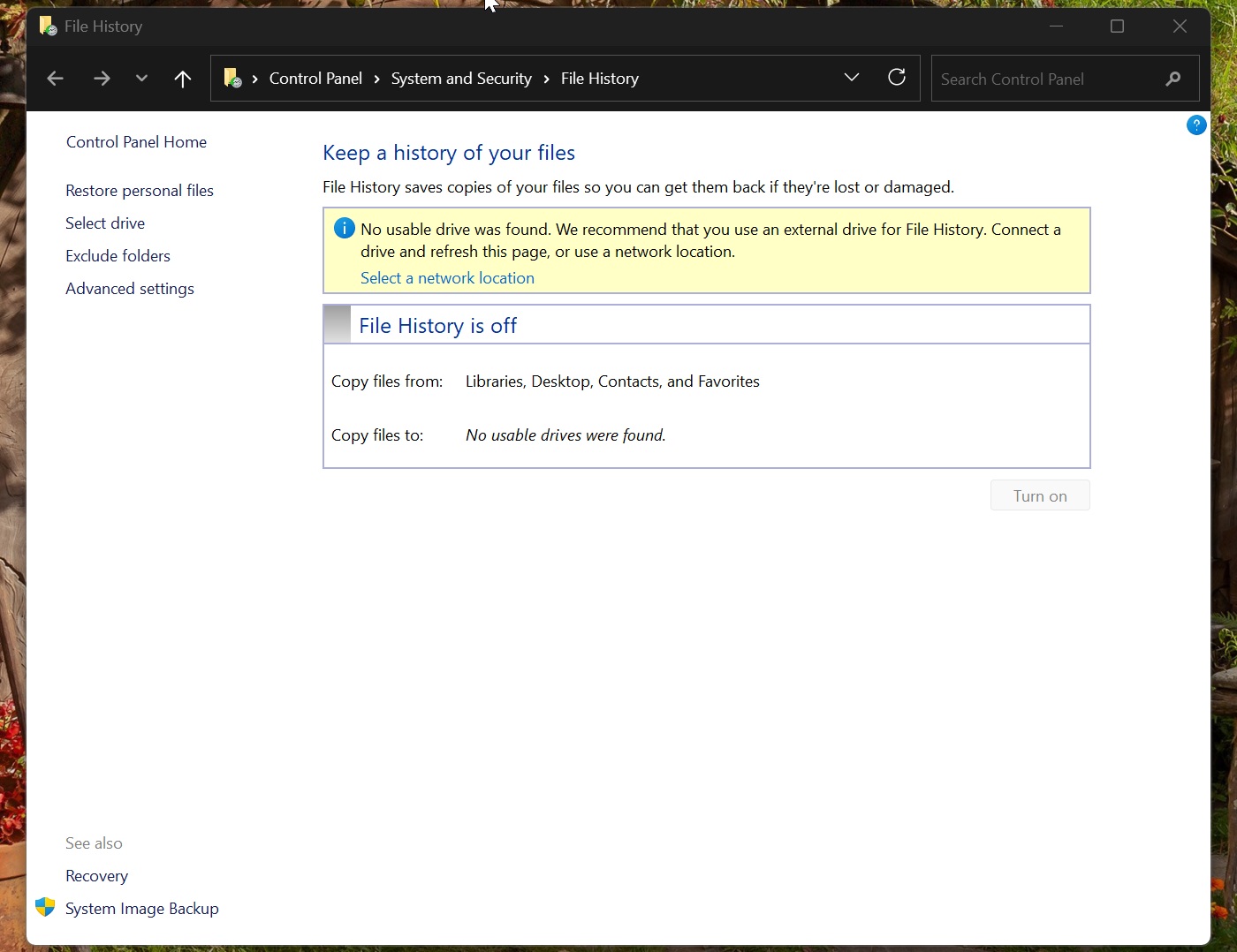
Later, we found that it was due to a bug in Windows Update, and most users were surprised because they had no clue that File History had stopped backing up their files.
Thankfully, Microsoft quickly admitted that it broke File History and launched an investigation.
The optional update brought a File History fix and another problem
Finally, on September 22, Microsoft released the optional KB5124010 update and said it had fixed the File History feature. But in our testing, we found that File History can now correctly detect drives, but still wasn’t fully fixed for everyone.
There’s a bug where backup timestamps and file versions do not update, which sort of defeats the purpose of using File History in the first place.
Not only did the update fail to properly fix File History, but it’s now crashing apps and games all of a sudden. It’s also why Windows updates are increasingly becoming annoying for some users. You install an update to fix issues with your PC, and you end up with more bugs.
For now, Microsoft says it’s working on the audio-decoding bug, but it hasn’t said when the fix will arrive.
“Microsoft is working on releasing a resolution for this issue in a future Windows update. We will provide an update when more information is available,” the company noted. Pasted text